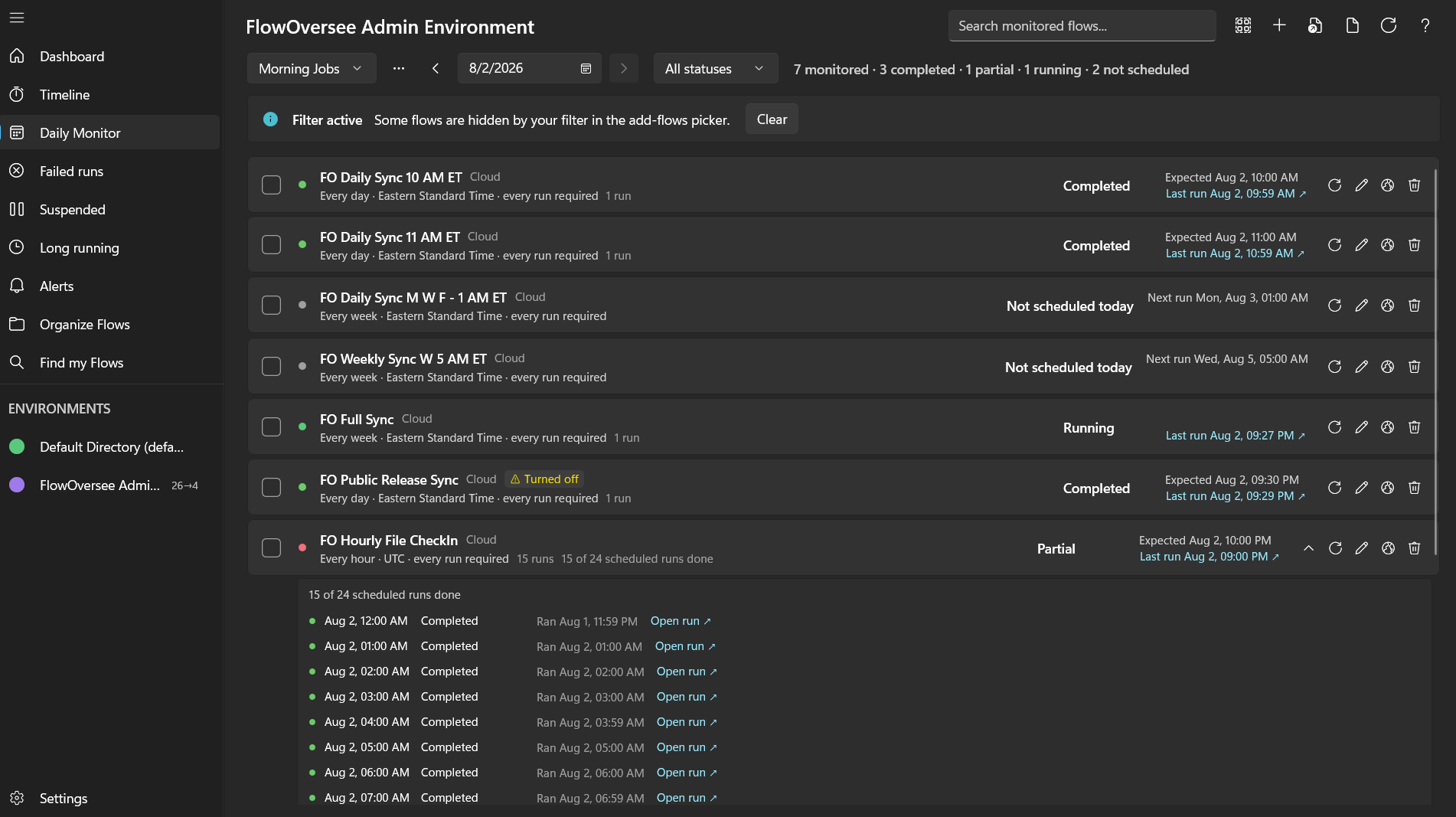
The Daily Monitor: every flow on today's checklist marked against its actual run history — down to each scheduled run of the hourly jobs.
It's the first question of every operations morning: did all my scheduled jobs run today? FlowOversee's Daily Monitor was built for exactly that — a daily checklist that marks every flow you care about against its actual run history.
The Daily Monitor: every flow on today's checklist marked against its actual run history — down to each scheduled run of the hourly jobs.
Your flows do the automating — FlowOversee adds the overseeing. It's a read-only companion for Power Automate, a platform we think is great: nothing in your flows changes, you just see them better.
No configuration files, no naming conventions. Open the picker, tick the flows that matter in your environment — cloud and desktop alike — and save the template. That's the whole setup.
Each day, the Daily Monitor reads every listed flow's real run history and marks it off against what the schedule says should have happened. You read one list instead of twenty run histories.
See the same day as a timeline — what ran, what's running, and what's scheduled next.
Explore the Timeline →Don't wait for the morning check — get a Windows notification when FlowOversee detects a failed run.
Explore Alerts →When something didn't run clean, jump to every failed flow with its error in one list.
Explore Failed Runs →Related guide: How to check if a Power Automate flow ran
FlowOversee is available now on the Microsoft Store. Try the Daily Monitor in the interactive demo right now — no install, no sign-in, simulated data.