Local-first monitoring for Power Automate

See every flow. Miss nothing.

FlowOversee is a Windows app that puts every Power Automate cloud and desktop flow — failures, suspensions, long-running runs — in a single glance. Fast, private, and running entirely on your own machine.

Coming soon
Download on theMicrosoft Store See how it works →
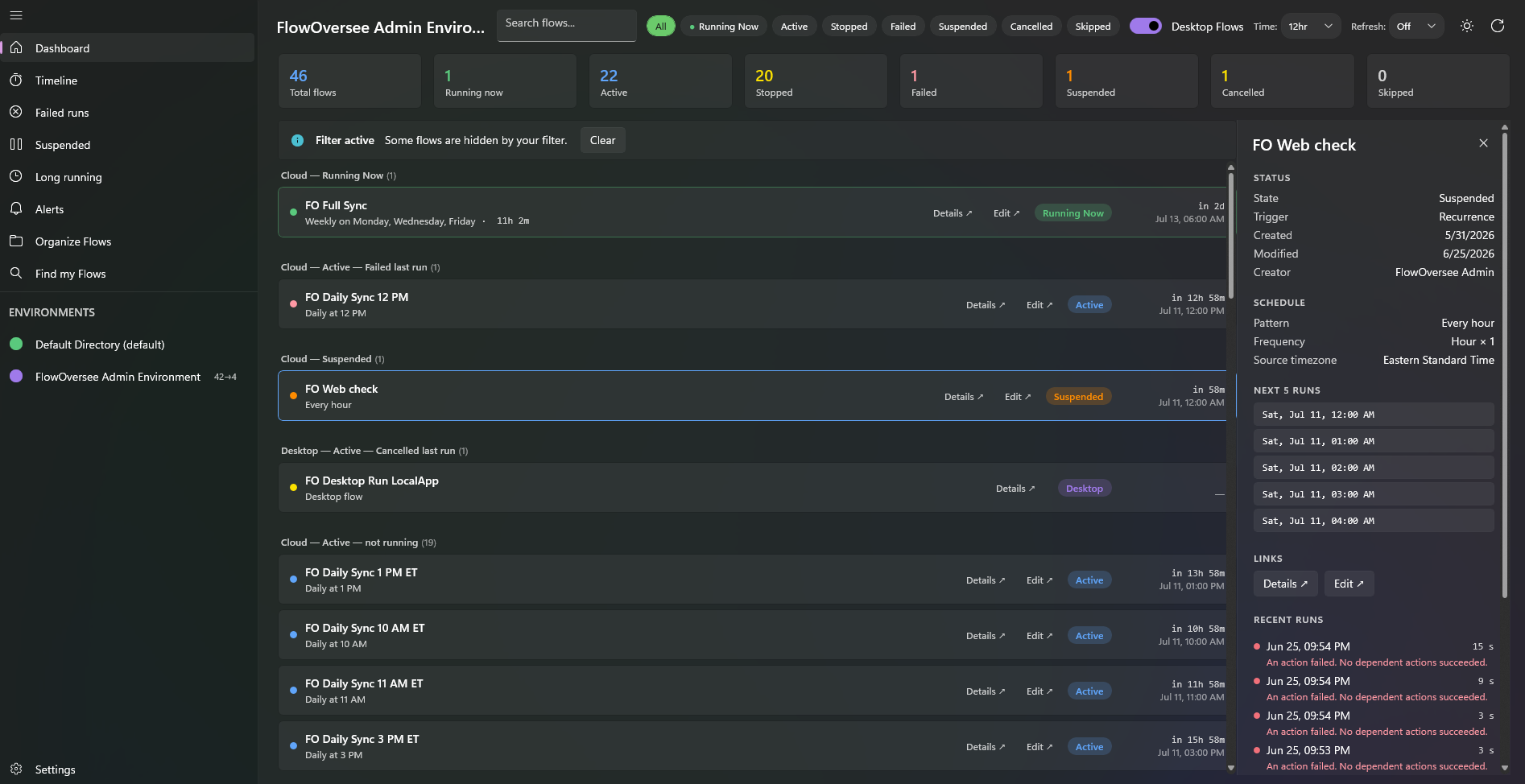
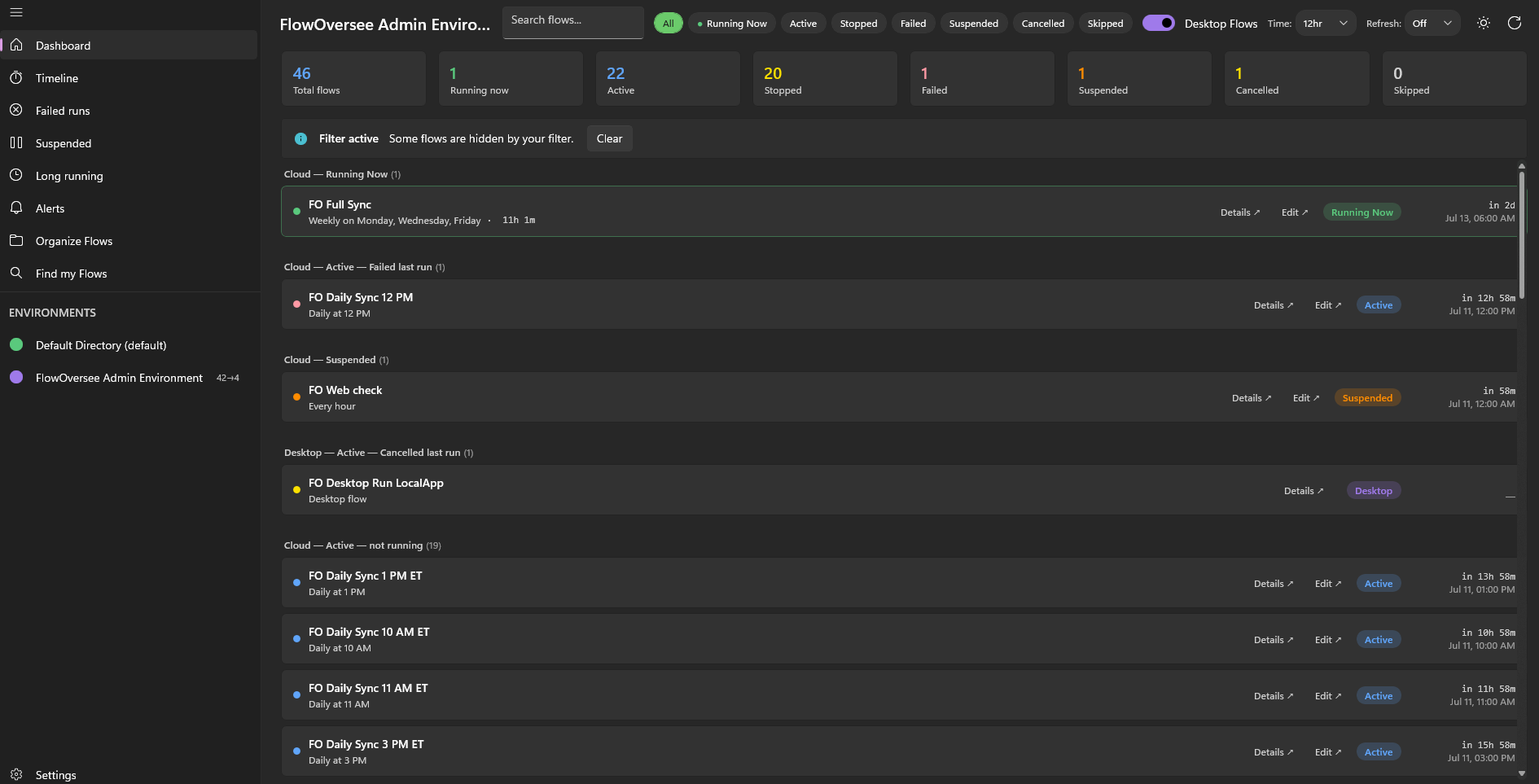
FlowOversee — Admin Environment
FlowOversee dashboard showing cloud and desktop Power Automate flows grouped by status
Add your screenshot Save it as images/dashboard.png
100% local — no telemetry
Read-only access
Cloud & desktop flows
Built for Power Automate
The whole picture

Your flows in one place

FlowOversee puts status, failures, and history in one application — and keeps it current.

One dashboard for every status

Running, active, stopped, failed, suspended, cancelled — every flow sorted and counted as soon as the app loads.

  • Live counts for the environment you're viewing
  • Filter by status, search by name
  • Optional auto-refresh on a preset interval, or refresh by hand
6
Total flows
0
Running now
2
Active
0
Stopped
2
Failed
1
Cancelled

Failures surface themselves

The flows that need you — failed, suspended, or stuck running too long — surface to the top, grouped and labelled.

  • Failed & cancelled last-run grouping
  • Suspended and long-running views
  • Jump straight to details or the maker portal
FO Desktop Wait
Desktop flow · failed last run
Desktop
FO Run Macro
Desktop flow · failed last run
Desktop
FO Run Weekly Report
Desktop flow · cancelled last run
Desktop
FO Monthly Balance 11 AM ET
Cloud · next run in 7d
Active

It spots what looks off — before you go looking

FlowOversee learns each flow's own normal rhythm and flags what's off — a scheduled job that didn't run, a sudden jump in failures, a run dragging far longer than usual — in plain language, automatically once your flows have loaded. No thresholds to set up; it baselines every flow for you.

  • Missed and fewer-than-expected scheduled runs
  • Broken success streaks and failure rates above a flow's own baseline
  • Run-duration spikes — surfaced as plain facts, never guesses
Needs attention
  • Invoice Sync — 12 runs expected in the last 24h, 0 observed
  • Nightly Export — Succeeded 18 runs in a row, then failed
  • Data Reconcile — 5 of the last 10 completed runs failed; 1 of the previous 40 failed
  • Customer Onboarding — Typically completes in 04:00; the last run took 13:20

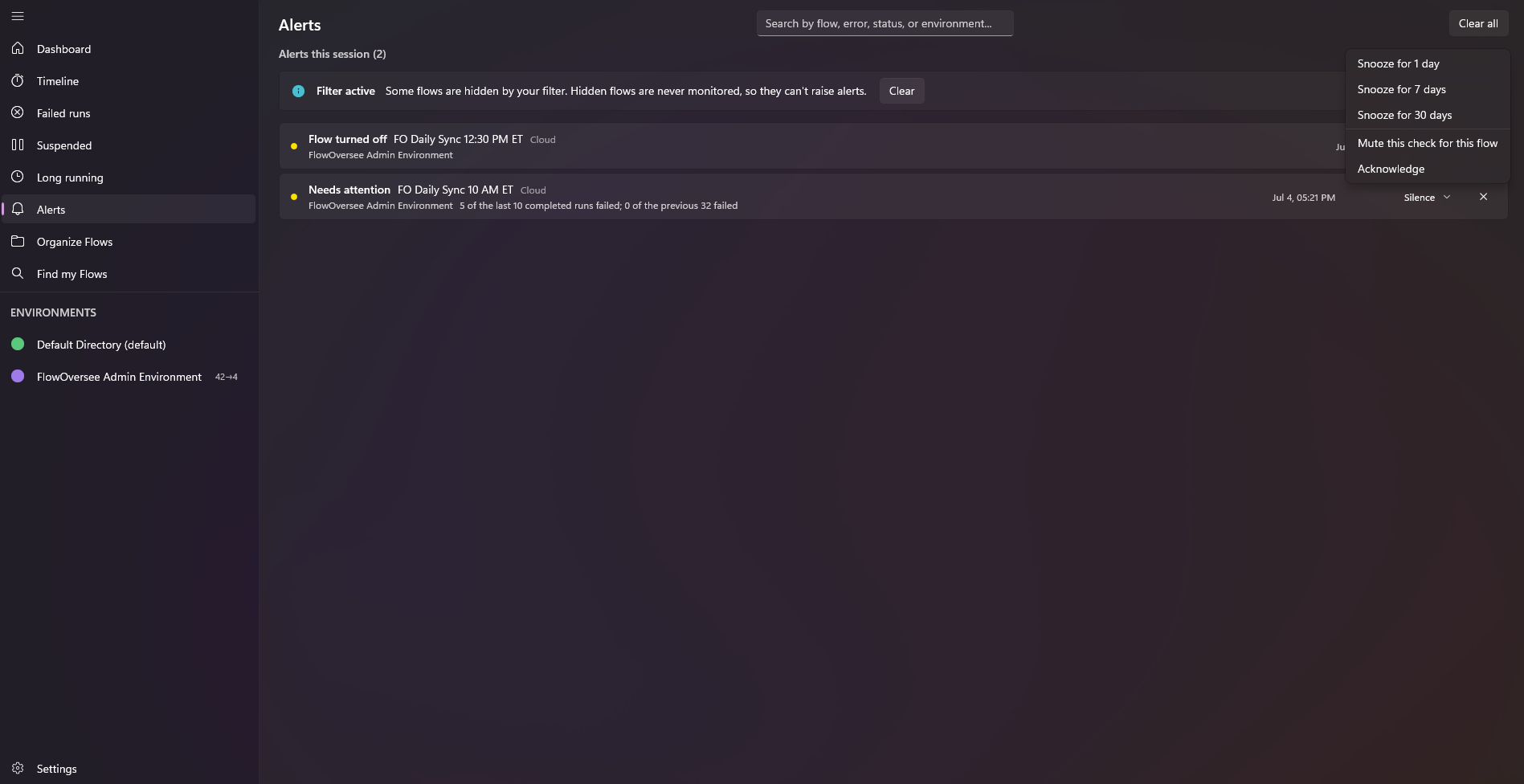
Alerts that come to you

Optional background alerts: leave FlowOversee open — even minimized — and it keeps watch over the environments you choose, on the schedule you choose. The moment something breaks, Windows tells you.

  • A Windows notification when a run fails, a flow is suspended or turned off, or a flow needs attention — each trigger has its own switch
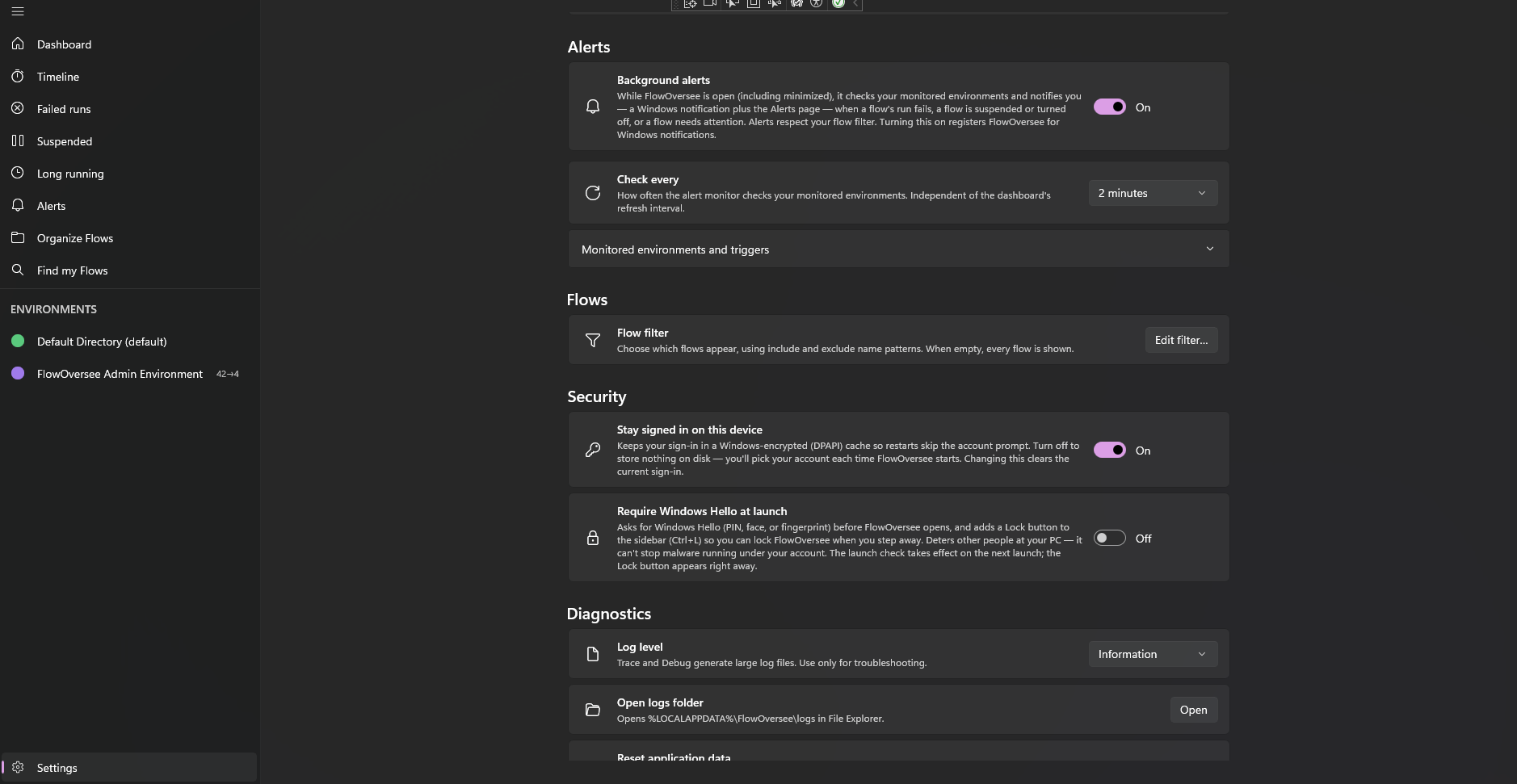
  • Pick the environments to watch and the pace — from every 2 minutes to hourly, independent of the dashboard
  • Catches up on launch: within seconds it flags what happened since you last had it open
  • Everything also lands on the Alerts page with a sidebar badge — and it's all off by default, one switch away
FlowOversee now
Flow run failedNightly Export — Admin Environment
FlowOversee 12m
Flow suspendedFO Web Check — left its active state
Background alerts
Check every5 minutes
Monitored environments2 of 3

Cloud + Desktop together

Power Automate cloud flows and Power Automate Desktop flows side by side.

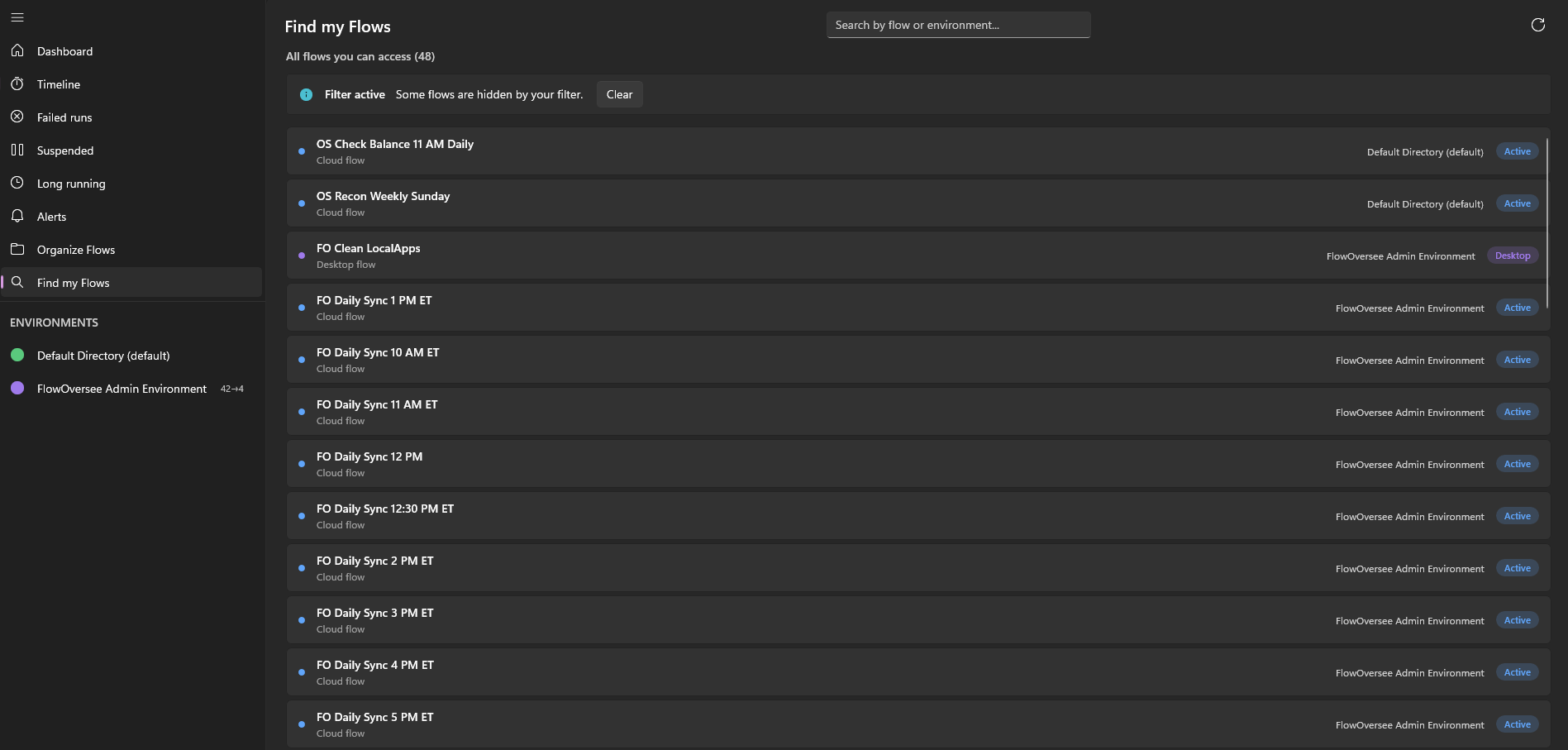
Find my Flows

One searchable list of every flow you can access, across every environment — search by flow or environment, with each flow's state at a glance.

Organize with folders

Group flows into your own folders — nested as deep as you like, per environment — so the things you care about stay together.

Timeline & history

Switch viewing modes: a live 24-hour view of current runs, replay a prior date, jump to today, or look ahead to scheduled future runs.

Multiple environments

Switch between every environment your account can reach, each with its own folder layout.

Search & filter

Find any flow in the current environment by name or creator, then filter by status down to exactly what you need.

Live on every load

Flow statuses, counts, and run times are never cached — every screen reads them live.

Long-running monitor

Spot runs that are stuck. Set your own “too long” threshold and FlowOversee surfaces anything still running past it.

Triage the findings

Snooze, mute, or acknowledge any “Needs attention” finding — and choose which of the five checks run, and how sensitive they are.

Watch only what matters

An include / exclude flow filter scopes FlowOversee to the flows you choose — and it applies everywhere, alerts included.

Themes & display options

Light, dark, or follow Windows. A 12- or 24-hour clock, and every time shown in the timezone you choose.

Private by design

Everything runs on your machine. No analytics, no telemetry, no back-end, nothing phoned home.

A closer look

Built for the way you check flows

From a single flow's details to the full run timeline — live, replayed, or scheduled ahead — plus finding any flow across your environments and staying ahead of failures.

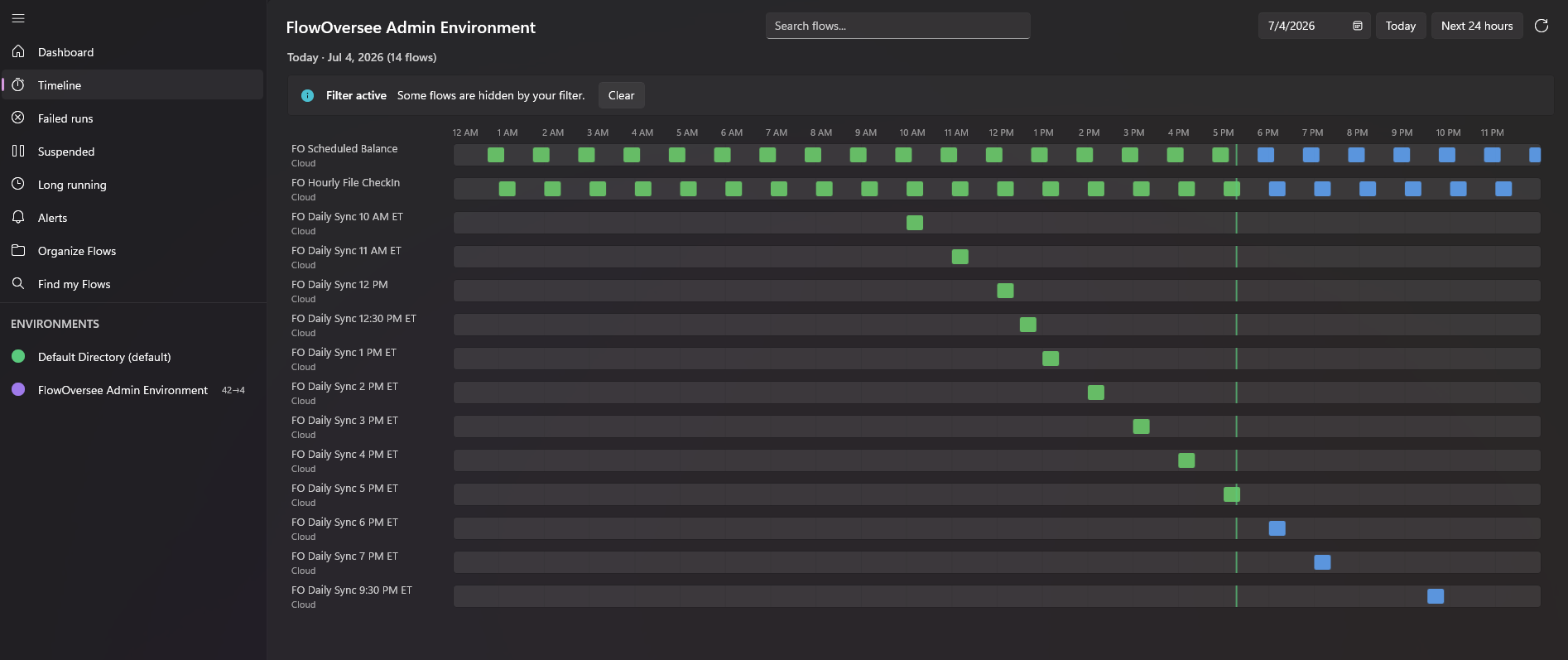
Timeline — Live 24h
FlowOversee timeline showing a live rolling 24-hour view of flow runs
Add screenshotimages/timeline-live.png

Live 24-hour view

A rolling 24-hour window from the current hour forward — what's running right now and what's scheduled to run next, updating live as runs start and finish.

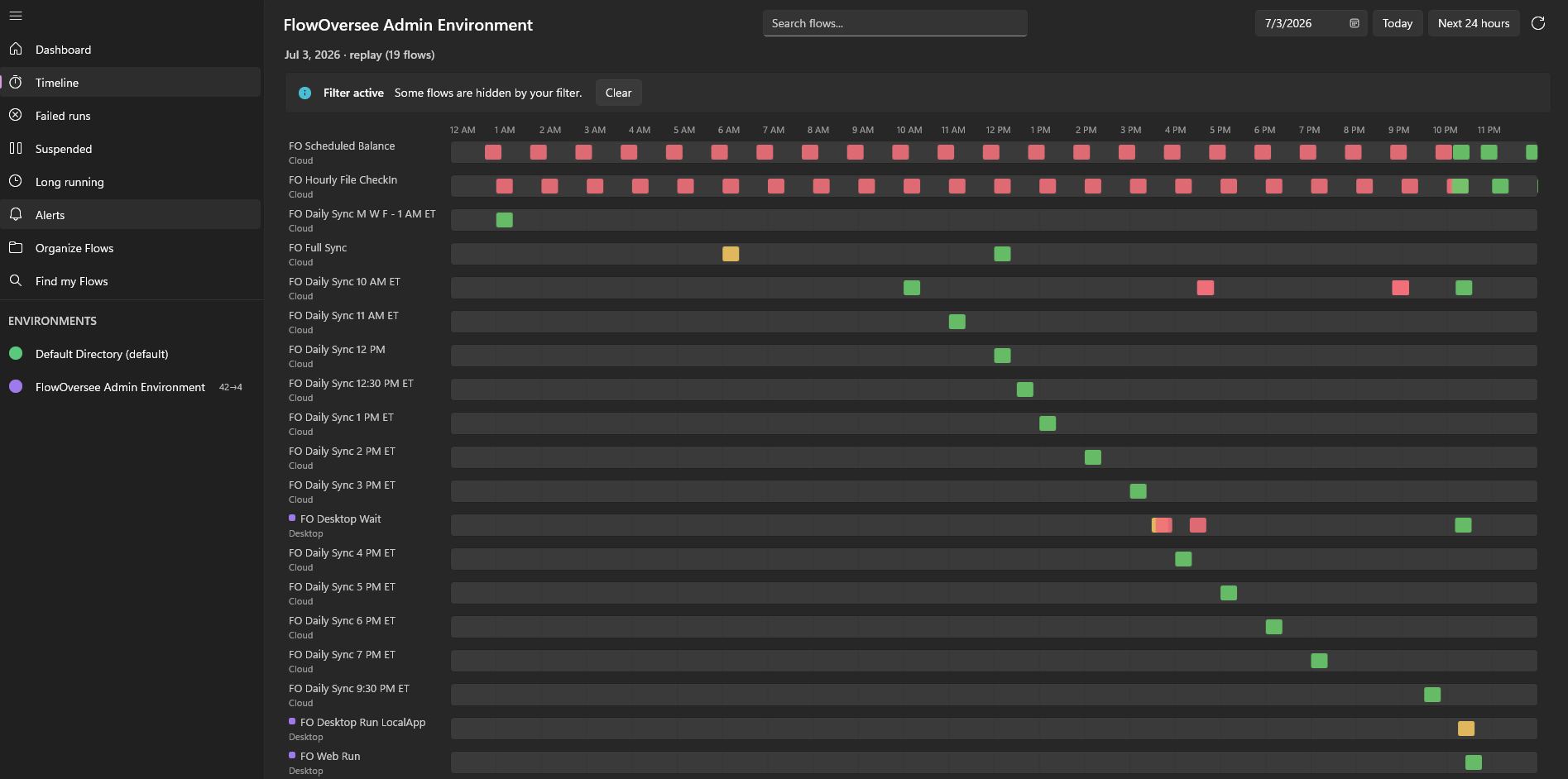
Timeline — Replay
FlowOversee timeline replaying flow runs from a prior date
Add screenshotimages/timeline-replay.png

Replay a prior date

Step back to any past day and replay exactly what ran, when — to pin down when a flow started failing.

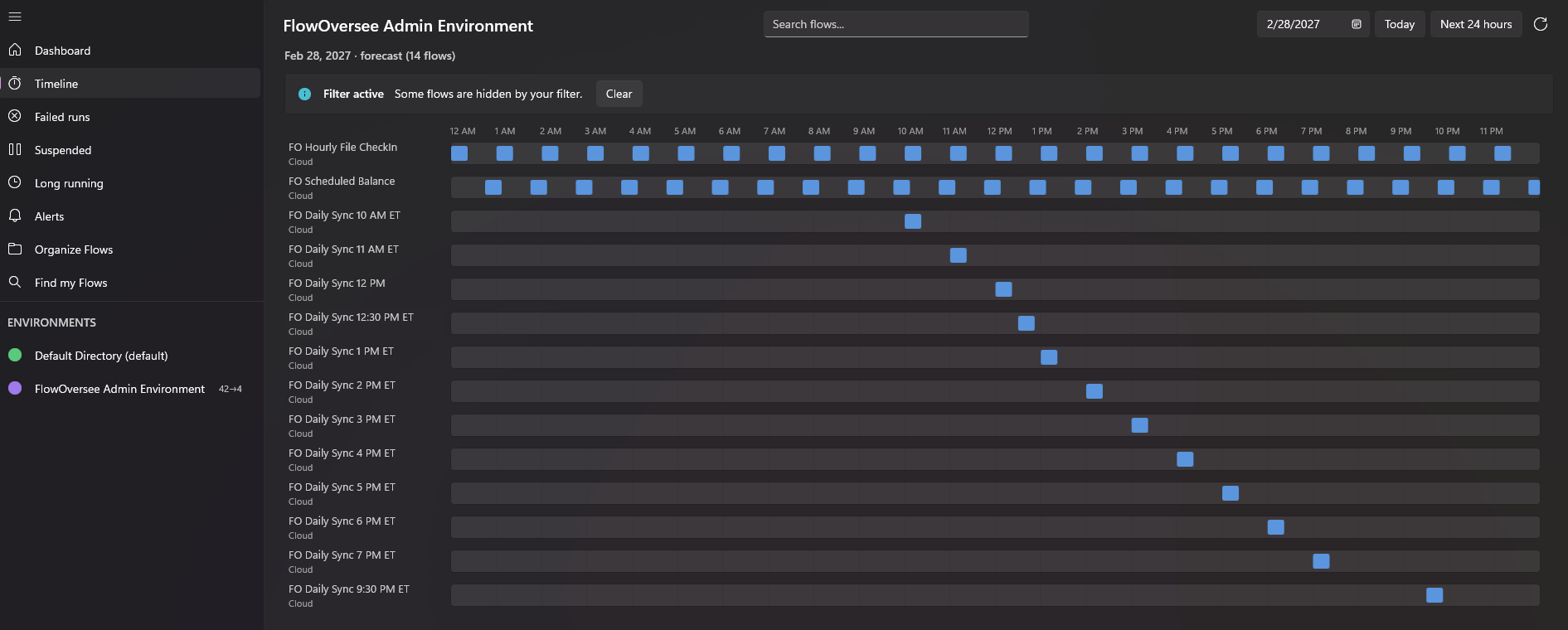
Timeline — Scheduled ahead
FlowOversee timeline showing upcoming scheduled flow runs in a future view
Add screenshotimages/timeline-future.png

Look ahead

See upcoming scheduled runs on a future date, so you know what's coming before it does.

FlowOversee — Find my Flows
FlowOversee Find my Flows page listing every flow across all environments in one searchable list
Add screenshotimages/find-flows.png

Find my Flows

Every flow you can reach, across every environment, in one searchable list — search by flow or environment and open any one.

FlowOversee — Alerts
FlowOversee Alerts page listing flagged failures, suspensions, and anomalies with a sidebar badge
Add screenshotimages/alerts.png

The Alerts page

Everything the background monitor has flagged — failures, suspensions, and anomalies — collected in one place, with a sidebar badge.

FlowOversee — Settings
FlowOversee alert settings showing monitored environments, triggers, and check interval
Add screenshotimages/settings-alerts.png

Alerts, your way

Pick the environments to watch, the triggers that matter, and how often to check — all off until you turn it on.

The story

Built for my own flows

FlowOversee started as an idea after years of using Power Automate. I wanted one place to oversee all my flows — cloud and desktop together: failures, suspensions, and long-running runs at a glance, plus a timeline of what ran yesterday, what's running this morning, and what's scheduled for tonight, tomorrow, or a specific day next month.

So I built it as a local-first app. Everything runs on your own machine, your data stays with you, and it talks only to Microsoft's own services, on your behalf. The goal was simple: something any Power Automate user could pick up to stay on top of their flows. That's FlowOversee.

— Nicholas Evans

Your data never leaves your device

FlowOversee talks only to Microsoft's own endpoints, using your own credentials, to read your own flows. It has no server, no account system, and collects nothing. Sign-in happens through Windows' native account broker, so your organization's Conditional Access and MFA policies apply as normal — and sign-in tokens are encrypted with Windows DPAPI and stay on your machine. Want extra layers? Optional security settings let you keep no sign-in data on disk at all, and require Windows Hello before FlowOversee opens.

No telemetry No crash reporting No ads No data selling Read-only access DPAPI-encrypted tokens Conditional Access compatible Optional Windows Hello lock Optional no-disk sign-in mode
Almost here

Coming soon to the Microsoft Store

FlowOversee is in final preparation for release. Check back shortly — the download button below will go live the moment it ships.

Download on theMicrosoft Store